
Best mini PC for a dev box
A dev box is about cores, RAM headroom and fast I/O. Here is what actually matters for compiling, containers and VMs, and which mini PCs deliver it.
In short: A good dev box comes down to cores, RAM headroom and fast I/O. The Beelink SER8 and the Minisforum UM790 Pro lead, 8-core Ryzen silicon, two SODIMM slots and dual M.2, with the KAMRUI G1 close behind on upgradeability. If you want to spend less, a USB4-capable GMKtec K8 Plus covers compiling and containers well.
At a glance
I'd start with the Beelink SER8, 9/10, from US$799. Next is the Minisforum UM790 Pro, 8.9/10 from US$589.55. The table below has the full specs, prices and the fields we couldn't confirm.
| Mini PC | Best for | Price from | Idle power | Our score | |
|---|---|---|---|---|---|
| Beelink SER8Ryzen 7 8845HS all-rounder | Best overall mini PC | US$799Beelink direct, listed configuration (was $959) | TBC | 9 | Check price |
| Minisforum UM790 ProRyzen 9 7940HS, dual M.2 | Best for CPU-heavy work | US$589.55MINISFORUM US store, sale price (was $737.34) | TBC | 8.9 | Check price |
| GMKtec NucBox K8 PlusRyzen 7 8845HS with USB4 | Best for tinkerers | US$409.99GMKtec US store, from (barebone option; was $619.99) | TBC | 8.7 | Check price |
| KAMRUI G2 PRORyzen 9 270 flagship with OCuLink + dual USB4 | Best KAMRUI flagship | US$869KAMRUI direct, Ryzen 9 270 (32GB LPDDR5/1TB; was $999) | TBC | 8.9 | Check price |
| GEEKOM A8Ryzen 7 8745HS, tidy packaging | Best finish and support | US$799GEEKOM direct, A8 (16GB/1TB; was $1,039; $699 with code) | TBC | 8.6 | Check price |
| KAMRUI H1Ryzen 7 7735HS / 7640HS, dual M.2 | Best KAMRUI all-rounder | US$469KAMRUI direct, Ryzen 7 7735HS (24GB LPDDR5/512GB; the 7640HS config is $459; was $559) | TBC | 8.5 | Check price |
Prices were checked on 10 October 2026 and change often. Always confirm on the vendor's or store's own page. Fields marked TBC could not be confirmed and are not estimated;see which records are still unverified.
How we score
- Core count and sustained all-core clock, builds are CPU-bound and long.
- RAM type, number of slots and ceiling, so it can be upgraded later.
- Two M.2 slots, for a fast system drive plus a project/data drive.
- USB4 (40Gbps) for external storage or an eGPU, where it is present.
- Noise under a sustained compile, since the box sits on the desk beside you.
Our promises
The top picks, in detail
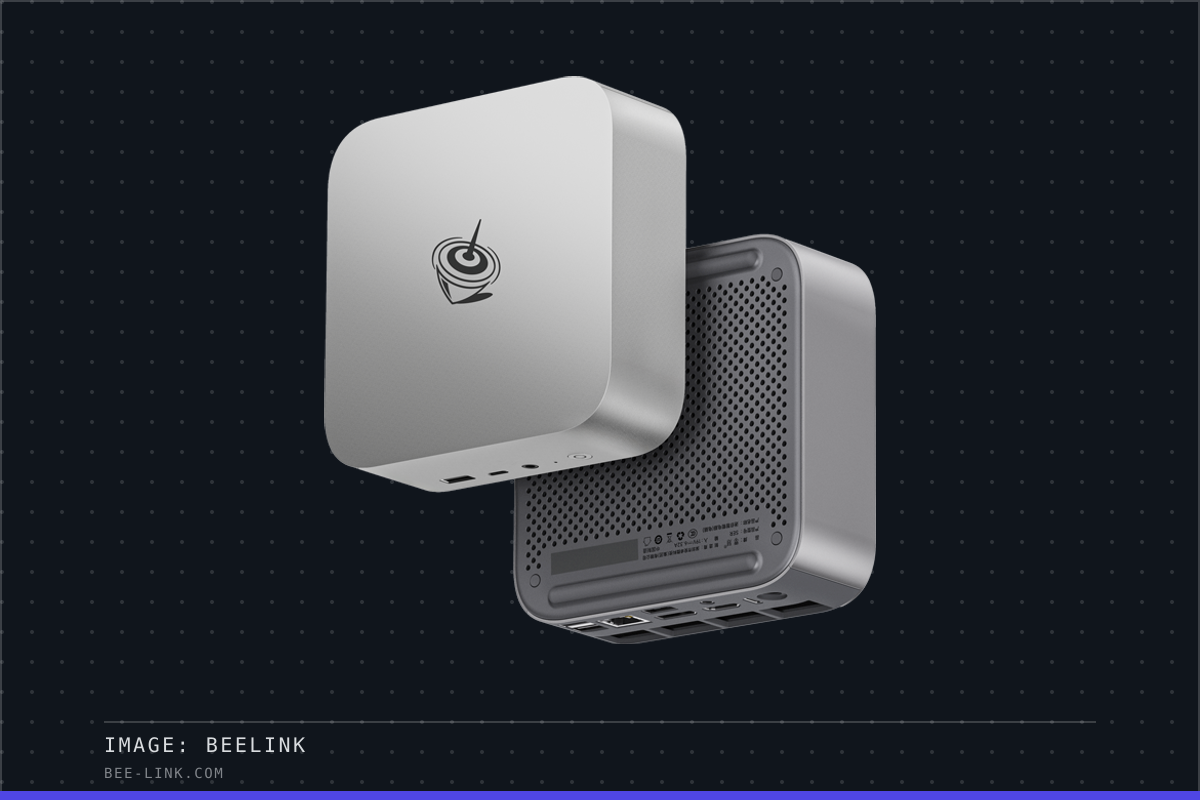
Beelink SER8
| CPU | AMD Ryzen 7 8845HS (8C/16T, up to 5.1GHz, 65W TDP) |
| Graphics | AMD Radeon 780M |
| Memory | DDR5-5600, 2× SODIMM, up to 256GB (32GB tested) |
| Storage | 2× M.2 2280 PCIe 4.0 (up to 8TB; 1TB tested) |
| Ports | 1× HDMI 2.1 (4K@120Hz), 1× DisplayPort 1.4 (4K@144Hz), 1× USB4 (40Gbps), 1× USB 3.2 Gen2 Type-C (10Gbps, data), 2× USB 3.2 Gen2 Type-A (10Gbps; one front + one rear), 2× USB 2.0 Type-A (rear), 2.5GbE LAN, Wi-Fi 6 (Intel AX200), Bluetooth 5.2 |
| Idle power | TBC |
Pros
- Fast 8-core CPU and a genuinely capable Radeon 780M iGPU
- Two M.2 slots and dual SODIMM make it upgradeable (DDR5 to 256GB)
- Near-silent: Beelink rates it at ~32dB
Cons
- Prices swing a lot week to week and vary by configuration
- Two of the rear USB-A ports are only USB 2.0, the front USB-A and USB-C are both USB 3.2 Gen2 (10Gbps)
Specs and price checked 10 October 2026.
Where to buy Beelink SER8
Disclosure: Beelink SER8 links are currently standard retailer links and do not earn us a commission. If a link becomes an affiliate link, it will be labelled. Commissions never affect our scores or rankings. Availability and price vary by region; confirm on the store page.
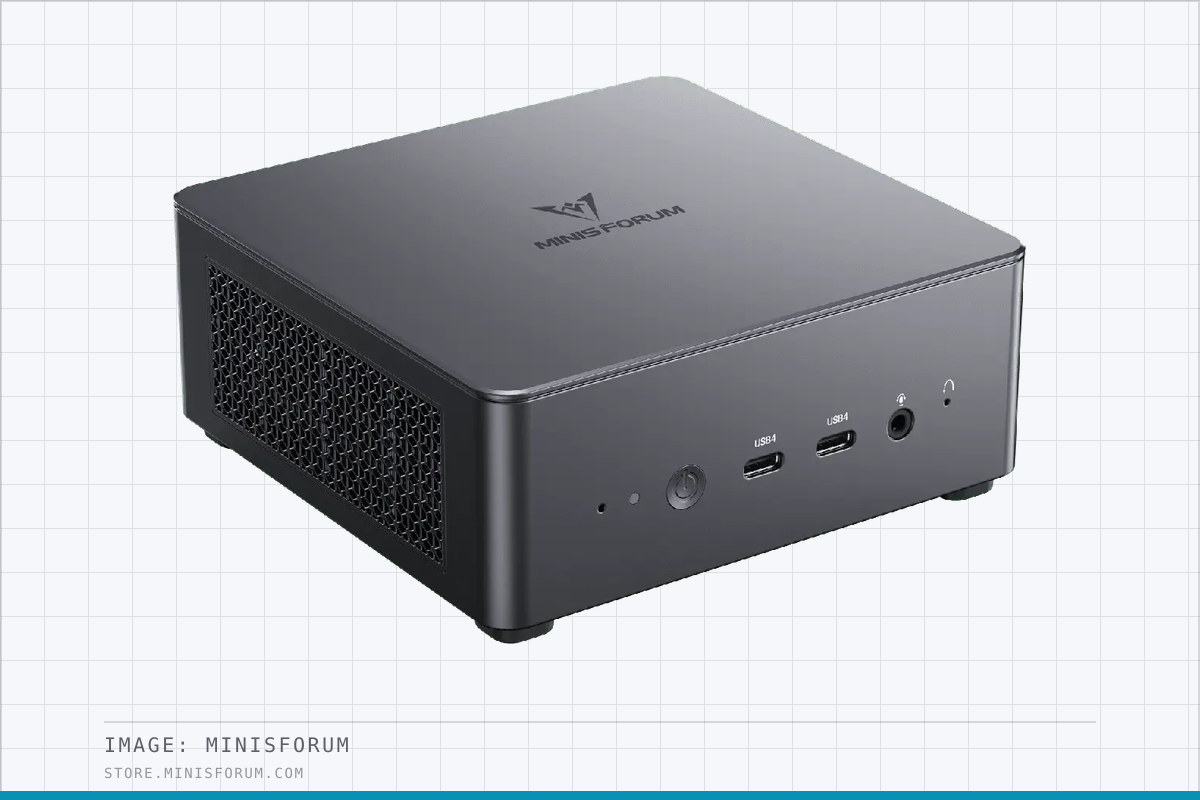
Minisforum UM790 Pro
| CPU | AMD Ryzen 9 7940HS (8C/16T, up to 5.2GHz) |
| Graphics | AMD Radeon 780M |
| Memory | DDR5 dual-channel, 2× SODIMM (up to 5600MHz, max 64GB) |
| Storage | 2× M.2 2280 PCIe 4.0 NVMe |
| Ports | 2× HDMI 2.1 (4K@144Hz), 2× USB4 (40Gbps, 8K@60Hz), 2.5GbE RJ45, Wi-Fi 6E, Bluetooth 5.3 |
| Idle power | TBC |
Pros
- Top-end Ryzen 9 for its class
- Two USB4 ports cover displays and fast storage
- Tool-free access to RAM and both M.2 slots
Cons
- Fans get audible under sustained all-core load
- Runs close to its thermal limit at stock
Specs and price checked 10 October 2026.
Where to buy Minisforum UM790 Pro
Disclosure: Minisforum UM790 Pro links are currently standard retailer links and do not earn us a commission. If a link becomes an affiliate link, it will be labelled. Commissions never affect our scores or rankings. Availability and price vary by region; confirm on the store page.
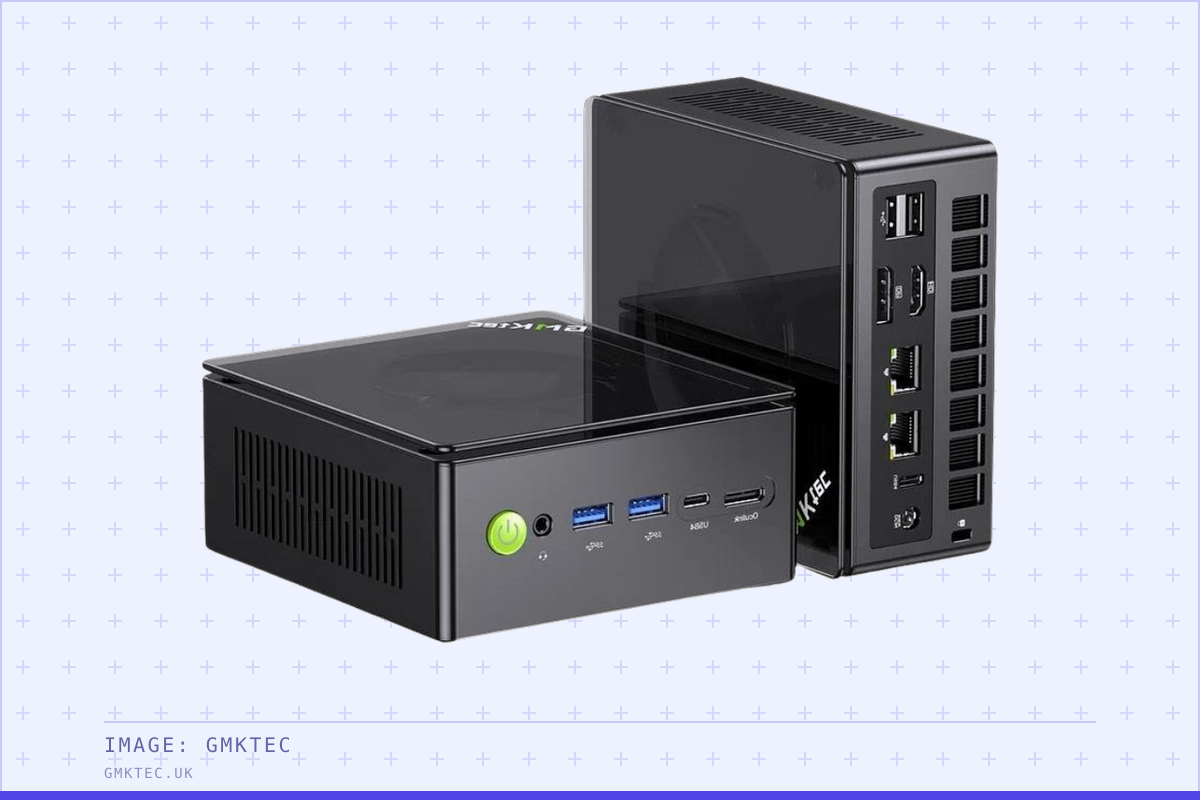
GMKtec NucBox K8 Plus
| CPU | AMD Ryzen 7 8845HS (8C/16T, up to 5.1GHz) |
| Graphics | AMD Radeon 780M |
| Memory | DDR5-5600, 2× SO-DIMM, 32GB installed, up to 48GB |
| Storage | 1× M.2 2280 PCIe 4.0 (1TB; expandable to 2× 4TB) |
| Ports | 1× HDMI 2.1 (8K@60Hz), 1× DisplayPort 2.1 (8K@60Hz), 2× USB4 (40Gbps, PD3.0/DP1.4/USB3.2 10Gbps), Wi-Fi 6, Bluetooth 5.2 |
| Idle power | TBC |
Pros
- Full-function USB4 ×2 (40Gbps) plus HDMI 2.1 and DisplayPort 2.1
- Cheap barebone option if you already have RAM and an SSD
Cons
- The full USB-A / LAN port list is not published on the vendor page. Confirm on the listing
- BIOS updates are less polished than the big brands
Specs and price checked 10 October 2026.
Where to buy GMKtec NucBox K8 Plus
Disclosure: GMKtec NucBox K8 Plus links are currently standard retailer links and do not earn us a commission. If a link becomes an affiliate link, it will be labelled. Commissions never affect our scores or rankings. Availability and price vary by region; confirm on the store page.
Keep reading
Common questions
Is a mini PC good for software development?
Yes, web and backend work, containers, compiles and light machine learning all run fine on a modern 8-core mini PC. The constraints are RAM ceiling, the lack of an upgradeable discrete GPU, and sustained thermals under long builds, not day-to-day performance.
How much RAM should I get?
32GB is the comfortable baseline for containers and editors; 64GB+ if you run several VMs or large builds. Prefer two SODIMM slots so it can be upgraded later, the Beelink SER8, Minisforum UM790 Pro, KAMRUI G1 and KAMRUI CK10 all allow it.
Do I need USB4 or Thunderbolt?
Only for external fast storage, an eGPU or a dock. USB4 (40Gbps) appears on the SER8, UM790 Pro, GMKtec K8 Plus and the KAMRUI G2 PRO. Display output over USB-C is otherwise enough for a multi-monitor desk.
Mini PC or a laptop for development?
A mini PC is cheaper per core and far easier to upgrade, but it is deskbound. If portability matters, a laptop wins; a mini PC is the better desk machine, and a better always-on build server.
Can I run Docker and virtual machines?
Yes. Two M.2 slots and 32–64GB of RAM is the recipe: one slot for the OS and images, one for projects and VM disks. The same box also makes a light home-lab host, so it does double duty.