
Best mini PC under $500
Under $500 is where mini PCs stopped being compromise boxes: eight Ryzen cores, USB4 and dual 2.5GbE are normal now. The catches are barebone pricing and cheap RAM.
In short: The GMKtec K8 Plus is the pick, a Ryzen 7 8845HS, two USB4 ports, dual 2.5GbE and OCuLink from about $410 barebone. Add RAM and an SSD and it's still the value. If you want it configured, the KAMRUI H1 and E3B save you the assembly.
At a glance
I'd start with the GMKtec NucBox K8 Plus, 8.7/10, from US$409.99. Next is the KAMRUI H1, 8.5/10 from US$469. The table below has the full specs, prices and the fields we couldn't confirm.
| Mini PC | Best for | Price from | Idle power | Our score | |
|---|---|---|---|---|---|
| GMKtec NucBox K8 PlusRyzen 7 8845HS with USB4 | Best for tinkerers | US$409.99GMKtec US store, from (barebone option; was $619.99) | TBC | 8.7 | Check price |
| KAMRUI H1Ryzen 7 7735HS / 7640HS, dual M.2 | Best KAMRUI all-rounder | US$469KAMRUI direct, Ryzen 7 7735HS (24GB LPDDR5/512GB; the 7640HS config is $459; was $559) | TBC | 8.5 | Check price |
| KAMRUI E3BAuthor's FavouriteRyzen 7 7735HS / 7730U office box | Best KAMRUI for office work | US$409KAMRUI direct, Ryzen 7 7735HS (16GB LPDDR5/512GB; the 7530U config is from $389; was $529) | TBC | 8.3 | Check price |
| Beelink EQ14Intel Twin Lake N150, dual 2.5GbE | Best Beelink budget box | US$385Beelink direct, 16GB DDR4/500GB + dual 2.5GbE (pre-order; was $469) | TBC | 7.9 | Check price |
| AceMagic S1Intel N95 entry box | Best for a first mini PC | US$229AceMagic store, S1 (16GB/512GB; was $289); shown as sold out on the vendor store | TBC | 7.5 | Check price |
| GMKtec NucBox G3Intel N100 budget box | Best budget mini PC | US$169.99GMKtec US store, from (barebone; 16GB/512GB config $459.99) | TBC | 7.8 | Check price |
Prices were checked on 10 October 2026 and change often. Always confirm on the vendor's or store's own page. Fields marked TBC could not be confirmed and are not estimated;see which records are still unverified.
How we score
- Performance per dollar, what the 8-core Ryzen class now costs here.
- RAM: socketed vs soldered, and the ceiling you can reach later.
- Ports and USB4, which separate the value picks.
- Idle power, since many of these run all day.
- Whether the price is barebone or a configured unit.
Our promises
The top picks, in detail
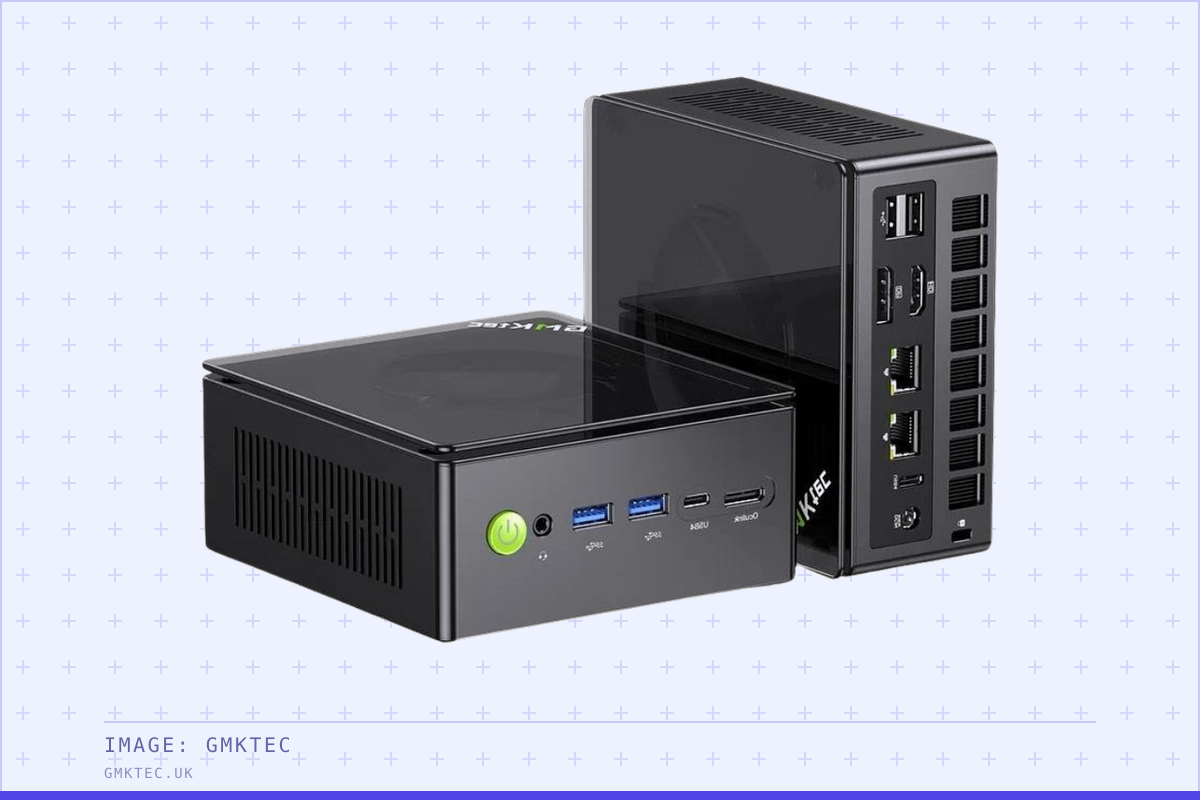
GMKtec NucBox K8 Plus
| CPU | AMD Ryzen 7 8845HS (8C/16T, up to 5.1GHz) |
| Graphics | AMD Radeon 780M |
| Memory | DDR5-5600, 2× SO-DIMM, 32GB installed, up to 48GB |
| Storage | 1× M.2 2280 PCIe 4.0 (1TB; expandable to 2× 4TB) |
| Ports | 1× HDMI 2.1 (8K@60Hz), 1× DisplayPort 2.1 (8K@60Hz), 2× USB4 (40Gbps, PD3.0/DP1.4/USB3.2 10Gbps), Wi-Fi 6, Bluetooth 5.2 |
| Idle power | TBC |
Pros
- Full-function USB4 ×2 (40Gbps) plus HDMI 2.1 and DisplayPort 2.1
- Cheap barebone option if you already have RAM and an SSD
Cons
- The full USB-A / LAN port list is not published on the vendor page. Confirm on the listing
- BIOS updates are less polished than the big brands
Specs and price checked 10 October 2026.
Where to buy GMKtec NucBox K8 Plus
Disclosure: GMKtec NucBox K8 Plus links are currently standard retailer links and do not earn us a commission. If a link becomes an affiliate link, it will be labelled. Commissions never affect our scores or rankings. Availability and price vary by region; confirm on the store page.
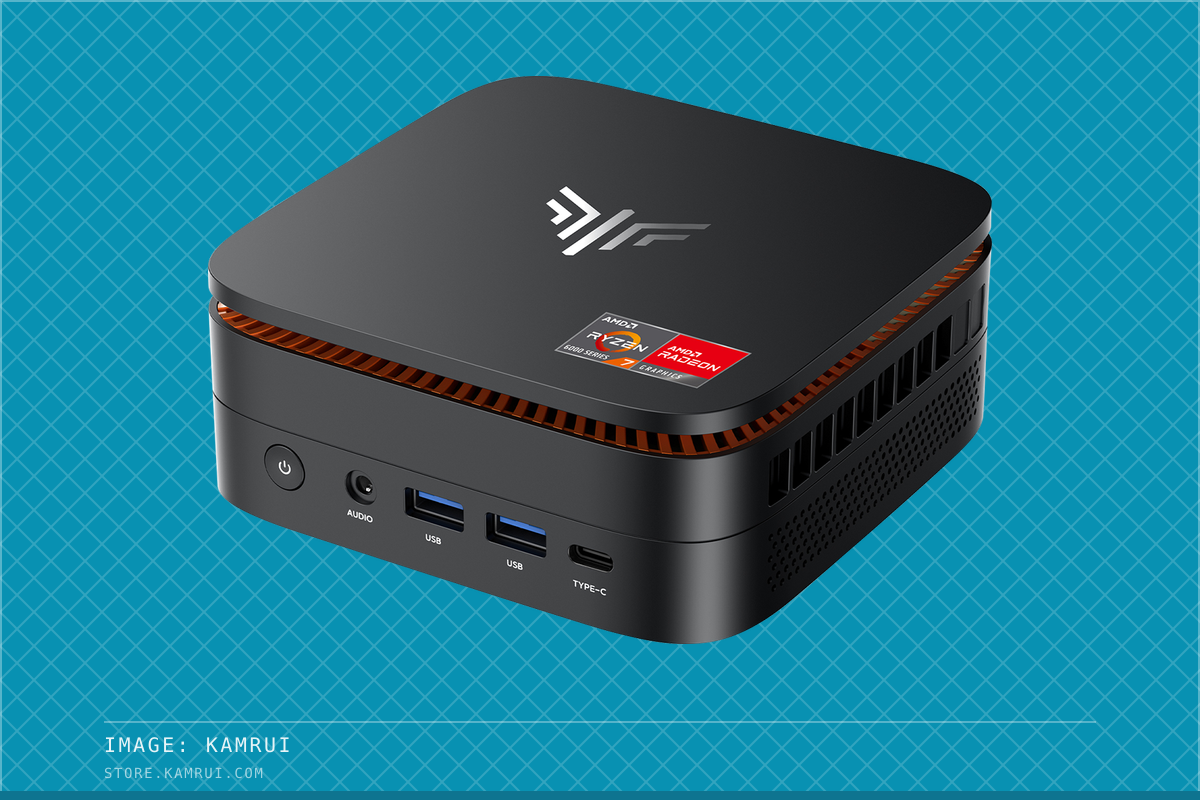
KAMRUI H1
| CPU | AMD Ryzen 7 7735HS (8C/16T, 16MB L3, 3.2–4.75GHz), a Ryzen 5 7640HS (6C/12T, up to 5.0GHz) config is also listed |
| Graphics | AMD Radeon 680M (12 cores, 2200MHz), the 7640HS config uses Radeon 760M |
| Memory | 24GB LPDDR5 5500MT/s (onboard), the 7640HS config ships 16GB DDR5-5600 |
| Storage | 512GB M.2 2280 NVMe PCIe 3.0 ×4 SSD (2× M.2 2280 slots, up to 4TB) |
| Ports | 1× HDMI 2.0 (4K@60Hz), 1× DisplayPort 1.4 (4K@60Hz), 1× USB 3.2 Gen2 Type-C (DP 1.4, 4K@60Hz, 10Gbps), 2× USB 3.2 Gen2 Type-A (front), 4× USB 3.2 Gen1 Type-A (rear), 1× 2.5GbE RJ45, 3.5mm audio, DC 19V/3.42A, Wi-Fi 6, Bluetooth 5.2 |
| Idle power | TBC |
Pros
- Two M.2 slots and a 2.5GbE port at a mid-range price
- USB-C, HDMI and DP covers three 4K displays
- VESA mount support
Cons
- LPDDR5 is onboard. Buy the memory size you want up front
- KAMRUI lists 24GB in the config name but 16GB in the spec table for the same variant
Specs and price checked 10 October 2026.
Where to buy KAMRUI H1
Disclosure: KAMRUI H1 links are currently standard retailer links and do not earn us a commission. If a link becomes an affiliate link, it will be labelled. Commissions never affect our scores or rankings. Availability and price vary by region; confirm on the store page.
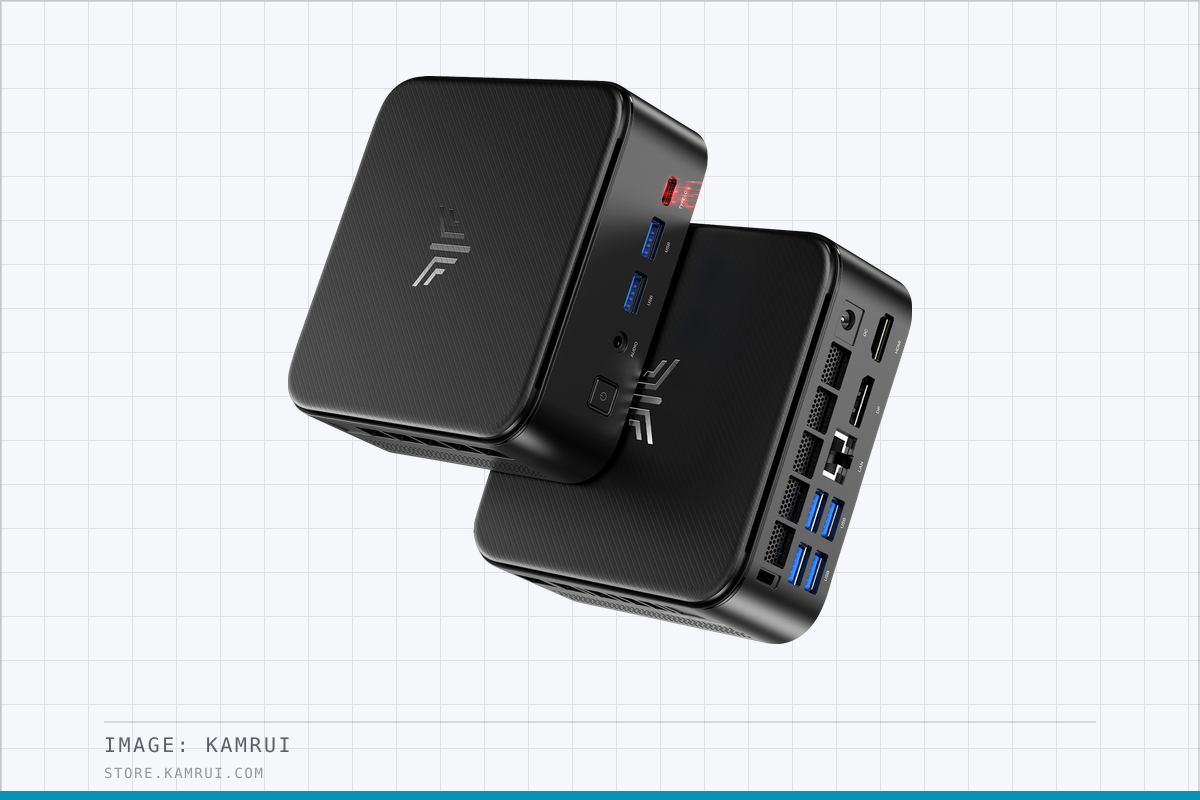
KAMRUI E3B
| CPU | AMD Ryzen 7 7735HS (8C/16T, 16MB L3, 3.2–4.75GHz), Ryzen 7 7730U and Ryzen 5 7530U configs also listed |
| Graphics | AMD Radeon Graphics (12 cores, 2200MHz) |
| Memory | 16GB (8GB×2) LPDDR5 5500MT/s (onboard) |
| Storage | 512GB M.2 2280 NVMe PCIe 3.0 ×4 SSD (2× M.2 2280 slots, up to 4TB) |
| Ports | 1× HDMI 2.0 (4K@60Hz), 1× DisplayPort 1.4b (4K@60Hz), 1× USB 3.2 Gen2 full-function Type-C (DP 1.4, 4K@60Hz, 10Gbps, PD out), 2× USB 3.2 Gen2 Type-A (10Gbps, front), 4× USB 3.2 Gen1 Type-A (5Gbps, rear), 1× Gigabit RJ45, 3.5mm audio, DC 19V/3.42A, Wi-Fi 6, Bluetooth 5.2 |
| Idle power | TBC |
Pros
- Strong 8-core CPU for the money
- Six USB-A ports plus a full-function USB-C
- Dual M.2 slots and a 2.5GbE-capable socket
Cons
- Only one LAN port and no USB4
- Onboard LPDDR5, memory is not upgradeable
Specs and price checked 10 October 2026.
Where to buy KAMRUI E3B
Disclosure: KAMRUI E3B links are currently standard retailer links and do not earn us a commission. If a link becomes an affiliate link, it will be labelled. Commissions never affect our scores or rankings. Availability and price vary by region; confirm on the store page.
Keep reading
Common questions
What can a sub-$500 mini PC do?
Almost everything a mainstream desktop can: office work, media, light gaming on the AMD Radeon 780M, Plex with hardware transcoding, containers and a light home lab. The $400–500 band now includes 8-core Ryzen silicon with USB4 and dual 2.5GbE.
What is the best value under $500?
The GMKtec NucBox K8 Plus: a Ryzen 7 8845HS, two USB4 ports and dual 2.5GbE from about US$410 (barebone). The KAMRUI H1 and E3B are the strong alternatives if you want a configured unit with more ports out of the box.
Are these prices USD or AUD?
The prices we record are the US-dollar figures from the makers’ own stores. Australian buyers should check a local reseller. Each record lists an AUSEPARTS link alongside the vendor store.
Is barebone worth it?
If you already have DDR5 SO-DIMM and an M.2 SSD, a barebone saves money, the K8 Plus and MS-01 are sold this way. Otherwise buy a configured unit. Check whether the memory is socketed or soldered first: the KAMRUI H1 and E3B use soldered LPDDR5, so buy the size you want up front.
Should I wait for a sale?
Prices in this segment move a lot week to week, and the figure we show is a dated snapshot. Confirm the current price on the vendor’s own page before buying.