Small computers, compared on the numbers.
Mini PCs and single-board computers, ranked on what actually decides the purchase — CPU and iGPU, memory, ports, idle power and price. No paid placements; commissions disclosed on every page.
A curated, comparable data asset — not another raw spec sheet. Specs and prices are checked against vendor pages and dated.
What this is
Little Compute is a buyer’s guide and comparison table for mini PCs andsingle-board computers. We keep one structured dataset — CPU, iGPU, memory, storage, ports, idle power and price — and turn it into decisions: which box for Plex, which for a budget, which instead of a Raspberry Pi. It is deliberately data-first: no device-buying, no video, just a maintained comparison you can trust.
Mini PCs, compared
Every mini PC in our index, ranked by our editorial score. Prices were checked against vendor pages on 10 October 2026 and change often — confirm on the vendor’s own page.
| Mini PC | Best for | Price from | Idle power | Our score | |
|---|---|---|---|---|---|
| Beelink SER8Ryzen 7 8845HS all-rounder | Best overall mini PC | US$799Beelink direct — listed configuration (was $959) | TBC | 9 | Check price |
| Minisforum UM790 ProRyzen 9 7940HS, dual M.2 | Best for CPU-heavy work | US$589.55MINISFORUM US store — sale price (was $737.34) | TBC | 8.9 | Check price |
| GEEKOM A8Ryzen 7 8745HS, tidy packaging | Best finish and support | US$799GEEKOM direct — A8 (was $1,039) | TBC | 8.6 | Check price |
| GMKtec NucBox K8 PlusRyzen 7 8845HS with USB4 | Best for tinkerers | US$409.99GMKtec US store — from (barebone option; was $619.99) | TBC | 8.7 | Check price |
| Minisforum MS-01Intel i9-13900H, dual 10GbE | Best for a home lab or NAS | US$679MINISFORUM US store — barebone i9-13900H (no RAM/SSD/OS) | TBC | 8.8 | Check price |
| Beelink Mini S12 ProIntel N100, quiet and cheap | Best cheap Plex box | TBCPrice TBC — not confirmed on a vendor/retailer page | TBC | 8 | Check price |
| GMKtec NucBox G3Intel N100 budget box | Best budget mini PC | US$169.99GMKtec US store — from (barebone option) | TBC | 7.8 | Check price |
| AceMagic S1Intel N100 entry box | Best for a first mini PC | TBCPrice TBC — sold via marketplaces; no longer listed on the AceMagic store | TBC | 7.5 | Check price |
Scores are editorial judgements from our published rubric. Some fields are marked TBC where we could not confirm them —see which records are still unverified. Prefer a Raspberry Pi-class board? See the SBC comparison.
Ports and size, drawn to scale
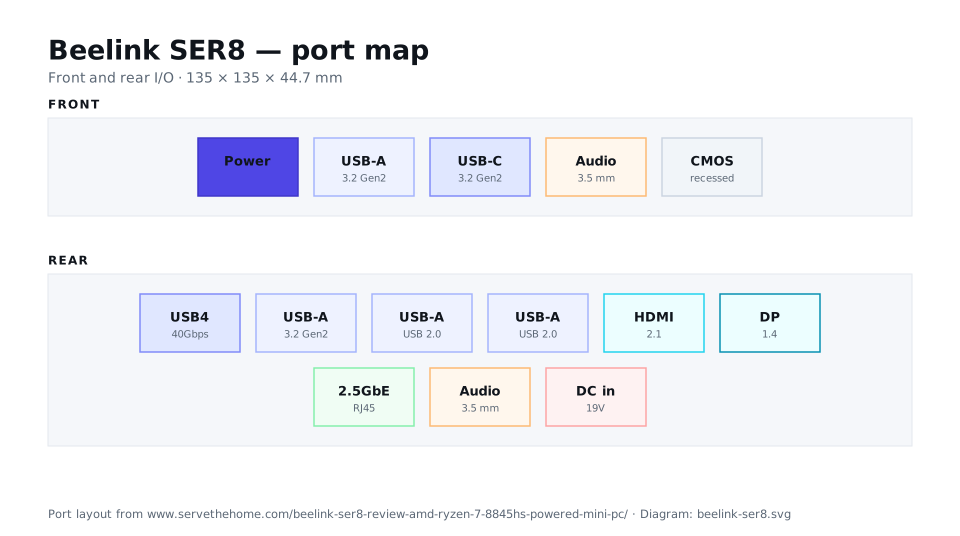
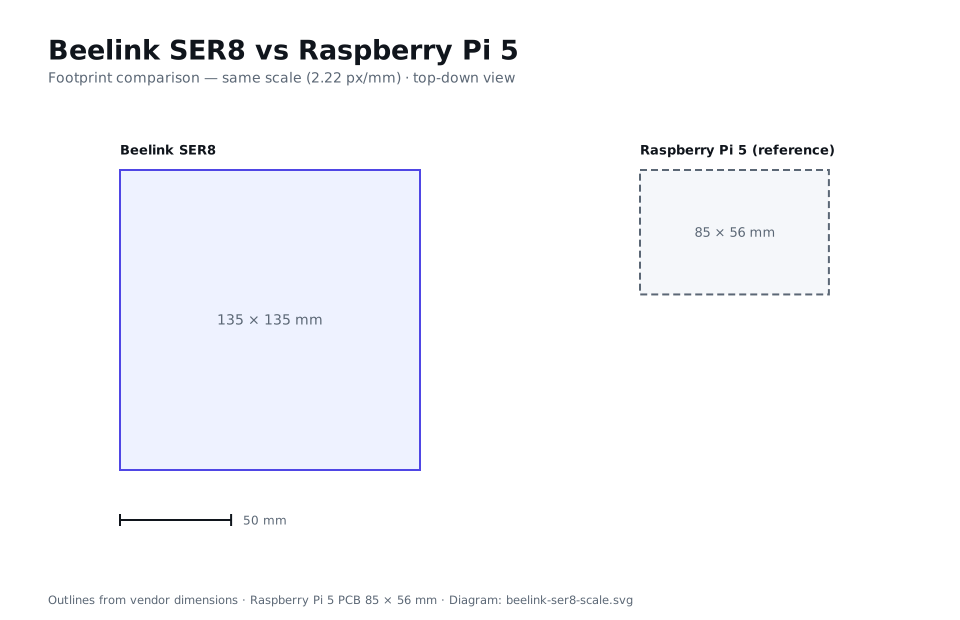
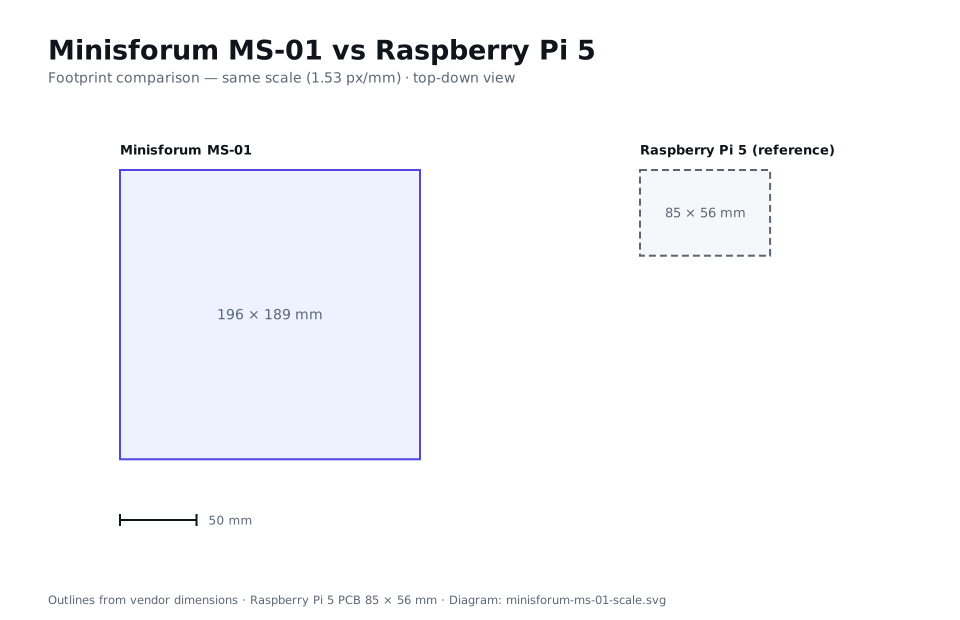
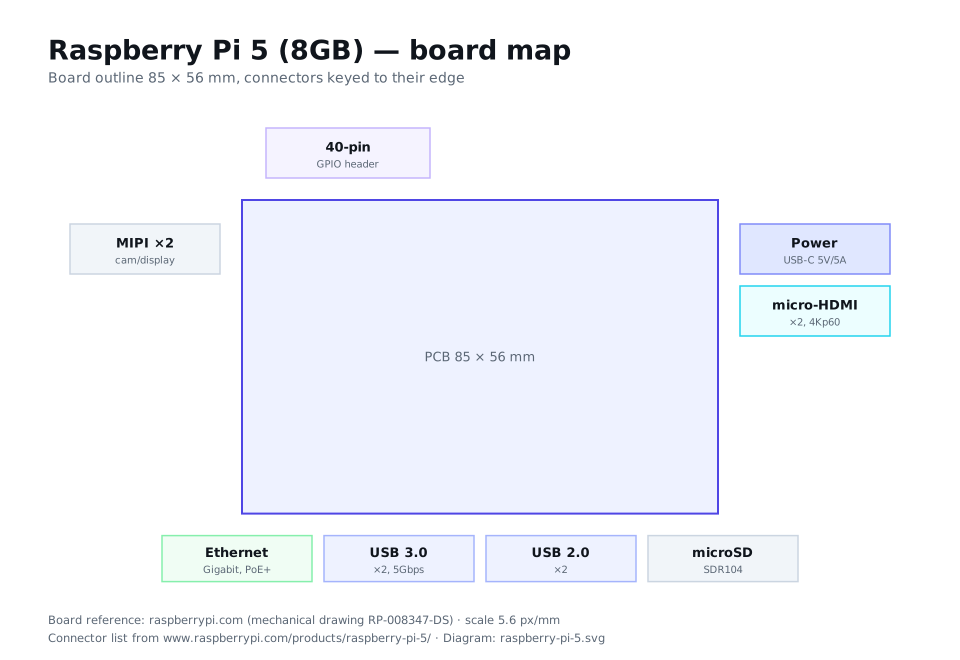
We draw the I/O and the physical footprint of the boxes we cover — hand-authored SVG, not stock photos. Below: the Beelink SER8's front and rear connectors, its footprint beside a Raspberry Pi 5 at the same scale, and the Raspberry Pi 5 board itself.
Start with a use case
Best mini PC for Plex
Quick Sync, idle watts and storage — what actually matters for a quiet 4K media server.
Best mini PC under $300
The Intel N100 class done right — and what you give up when you spend less.
Best Raspberry Pi alternative
RK3588 boards and Pi-class SBCs, compared on power, I/O and price.
How we're funded
Common questions
What is Little Compute?
An independent, data-first comparison site for small computers: mini PCs and single-board computers (SBCs). We put the specs that decide a purchase — CPU, iGPU, memory, storage, ports, idle power and price — side by side, and explain which box suits which job.
How is this different from a spec sheet?
A spec sheet lists numbers; we rank for a job. The data is curated into a comparable table and translated into plain-language picks — best for Plex, best under a budget, best Pi alternative — with the trade-offs called out.
Where do the specs and prices come from?
They are read from each vendor’s own product page or a major retailer, and dated to the month we checked them. Where a figure could not be confirmed on a real page we mark it TBC rather than guess, so the odd field is still outstanding — each record carries a specVerified flag and links to its source.
How does Little Compute make money?
Through affiliate commissions when you buy through our links. Every commercial link is marked rel="sponsored nofollow", and we disclose on every page. Commissions never change our scores or the order we rank in.
Do you only cover mini PCs?
No. Mini PCs are the core, with a single-board-computer section covering Raspberry Pi-class boards and their alternatives. The same data model extends to both.